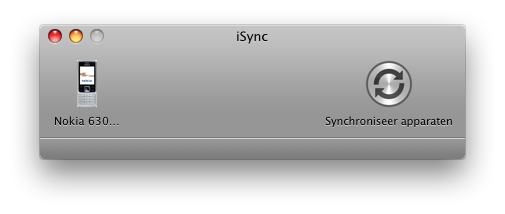
 Last week, my trusty Sony Ericsson T610 became a bit awkward to use. The “down” function of the joystick finally gave up on me, after intermitting failures the past month. The only way to select the next menu item was to go “up” through all menu items. It became a pain to use, so I needed a new one.
Category: Software
OSX 10.5.2 Solved SMB problems (for me)
In a previous post on this blog, I indicated that the 10.5.1. update of Apple’s OSX did not fix my network and SMB problems with my Iomega drive. In the comments underneath, some readers kindly pointed out that Iomega’s K104w11 Firmware update is available for the Iomega drive I have. Now that 10.5.2 is out, I reconnected the Iomega drive to my network. And suddenly the world changed…
Remember The Milk review
This morning I thought I had way too much tasks, way too much paper on my desk, a messy inbox, and a cluttered schedule. Then I made a terrible mistake: try to solve this with more tools. You don’t always solve “more X” with “more Y”.
Migrate CVS repository to GForge
At work we were testdriving SourceForge Enterprise Edition. It is a great system to keep all your project information, source code, documents, bug reports and changes together, and linked. As you may have noticed, the pricing model of the Enterprise Edition is a well kept secret on the site. Our management bargained with the Colabnet people, but the costs (or TCO) were way to steep to keep SourceForge as our main system.
Another product which promises to do almost the same thing is GForge Advanced Server. GForge originally started as a fork of the (then open source) SourceForge code, and is not as advanced as SourceForge is today. But their pricing is more to the likings of our financial people, and we decided it has a good tradeoff between function and price.
Having said all this, we need to migrate a few projects from SourceForge to GForge. If you’d like to know how to do this, this article is for you. It describes how to get your CVS repository into GForge in 6 steps.
When “J” means “:-)”
Lately I’ve been recieving mails with the letter “J” in seemingly random places. At first I thought I had gotten old, the world around me changed and people were starting to replace the smileys with single letter J’s. I thought it meant “Joke” and carried on.
Recently I noticed other people being puzzled by the J’s aswell, so I thought I’d find out where the J’s come from. It actually turns out to be a technical problem when using Microsoft Outlook to send smileys.
Microsoft translates a “:-)” into a smiley character from the wingdings font. When the mail is sent, the character encoding of the mail screws everything up and by the time that I recieve the mail in Thunderbird it has become a “J”.
Until Microsoft solves this, try to refrain from using smileys, or turn off the “show emoticons as icons” feature.
GForge CVS/SSH Authentication Failures
Recently we had a problem connecting to our GForge CVS through SSH. We added the public RSA key to the GForge user, but because of wrong configuration on the client we tried to connect a couple of times with the wrong key. After a while the GForge CVS will return the following error:
Received disconnect from <GForge ip>: 2: Too many authentication failures for <username>
To solve this, simple ask a GForge administrator to edit the GForge user, and press the “Save” button without changing anything. You will be able to reconnect immediately after the administrator has pressed “Save”.
Link CVS/SVN commit to GForge Tracker Item
Today I spent some time figuring out what the exact format of the CVS comment is when I want to link a commit to a GForge tracker item. I’ll try to explain it a bit simpler:
- We have GForge installed at work. We use GForge to manage a software project for a customer.
- The customer reports a bug in the Tracker of GForge. This bug gets assigned to me.
- I read the code, find the problem and fix it. Now I want to commit the fix to the GForge integrated CVS, and have it automatically linked to the Tracker item for future reference.
I spent 30 minutes Googling for an example, and did find a lot of info, but no real usage examples. The info says “Include the tracker item id in the commit comment”. I spent anther 10 to 20 minutes trying to figure out if this meant just the number, the number with the prefix, or brackets, or both. To save more people from searching, you should copy-paste the complete tracker id from the tracker item screen.
Time Machine to the Rescue
Hi, I just wanted to share with you that I actually recovered a mail item which I had written in Thunderbird for Windows with Time Machine. Yes, Apple’s Time Machine.
SVN is missing the point?
Our company was using Rational Clearcase for version control about 6 years ago. The developers decided it was way to clunky, error prone and WAY too expensive. We introduced CVS and it has been working fine for a few years now. CVS is widely known, stable and simple. I looked into using SVN a few years ago but the clients were unusable at that time. This year, the SVN discussion came to life again and some of my collegues started playing with it after I mentioned it as being a step forward from CVS.
Easy Image Resizing in OSX
A little heads-up for Apple OSX users who have lots of images to resize. There’s a free tool available to do this at http://www.eagle-of-liberty.com/resizeemall/. It’s donationware, if you like it you can send the author money by paypal.
I’ve used it, and it works as advertised. Drag a bunch of images on the application, and batch-resize them without touching your originals. You can save the images with a postfix, and even in a different format if you like. Very easy for mailing a bunch of photo’s.