 In their infinite wisdom and search for an affordable quality infotainment and navigation, Volkswagen partnered with Garmin. That would nog have been a big disaster, but in their search for a budget solution they put the standard Garmin/Navigon screens on a little arm that protrudes out of the dashboard not unlike a scene from the movie “Alien”. If you have an (otherwise fine) Volkswagen Up!, e-Up!, Skoda Citigo, or Seat Mii (which are basically the same cars), see how I converted a Garmin holder into a proper Magsafe adapter, holding your phone and charge it without extra wires running over your dashboard.
Tag: hacking
The podcast problem (fixed)
 I love to listen to podcasts in the car. It has a lot of benefits over other media types, has less commercials, and there is some pretty good content out there. Documentaries, stories, news, perfect for listening on your commute. There is one big downside to podcasts though, particularly with the podcasts produced by people who have no experience with audio. So I went on a mission to solve this.
Post-quantum key exchange
If you see this warning when connecting to a server through ssh:
** WARNING: connection is not using a post-quantum key exchange algorithm.
** This session may be vulnerable to "store now, decrypt later" attacks.
** The server may need to be upgraded. See https://openssh.com/pq.html
Then follow michabbb’s guide on how to enable post-quantum key exchange in ssh. Don’t worry, you don’t have to generate new keys. Please please do not disable the warnings, Solution 1 is NOT a solution. Do the right thing.
On your (MacOS) client machine (your local laptop) you need to tell your client to prefer post-quantum algorithms. Edit ~/.ssh/config and make sure your Host entry contains a KexAlgorithms line like this:
Host *
    KexAlgorithms sntrup761x25519-sha512@openssh.com,curve25519-sha256,curve25519-sha256@libssh.org
On a (MacOS) server you need to tell the sshd deamon to prefer post-quantum algorithms. To help you quickly do this:
sudo tee /etc/ssh/sshd_config.d/post-quantum.conf >/dev/null <<'EOF'
# Enable post-quantum key exchange algorithms
KexAlgorithms sntrup761x25519-sha512@openssh.com,curve25519-sha256,curve25519-sha256@libssh.org,ecdh-sha2-nistp256,ecdh-sha2-nistp384,ecdh-sha2-nistp521,diffie-hellman-group-exchange-sha256,diffie-hellman-group16-sha512,diffie-hellman-group18-sha512,diffie-hellman-group14-sha256
EOF
sudo launchctl unload /System/Library/LaunchDaemons/ssh.plist
sudo launchctl load -w /System/Library/LaunchDaemons/ssh.plist
Then validate that it worked on your next ssh session. If not, check that both machines (client and server) contain these fixes and are up-to-date. Read michabbb’s article for more tips and a better explanation.
Stay safe!
Remove DataTool Alarm
 If you have a Triumph Motorcycle and the Datatool evo, S3 or S4 alarm gives you headaches, there are two things to know:
- The alarm is virtually irrepairable because it is filled with silicone
- There is an easy trick to remove/disable it without permanent damage to the bike or the alarm.
Interdigital Bandpass for RTL2832U Receiver
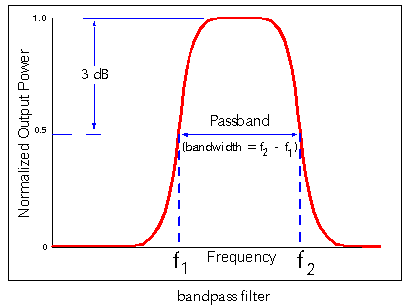 Building a receiver for a voice repeater system in this area I set up a thumbsat receiver connected to a Raspberry Pi. The receiver is part of the repeater system to widen it’s receiving range. However, the performance turned out not to be too optimal. I guessed that the GSM and Wifi signals around here could cause the RTL2832U to overload, so I decided to build an intedigital bandpassfilter using Ajarn Changpuak‘s excelent interdigital bandpass filter calculator.
Make the ESP8266 talk 9600 baud
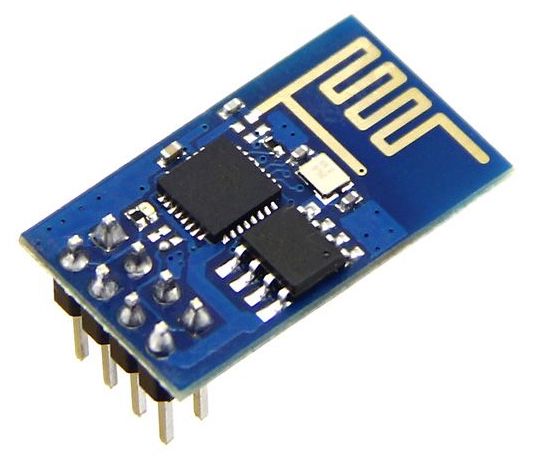 The default serial speed on the ESP8266 WiFi chip is 115200 baud. If you connect this chip to an Arduino and want to use SoftSerial to talk to it, it will not work. The SoftSerial library is limited to 9600 baud because of hardware limitations of the Arduino. If you want to talk to the ESP8266 with an Arduino at lower speeds, you need to tell the ESP8266 to slow down.
Seeed ESP8266 WiFi Breakout Board Pinout
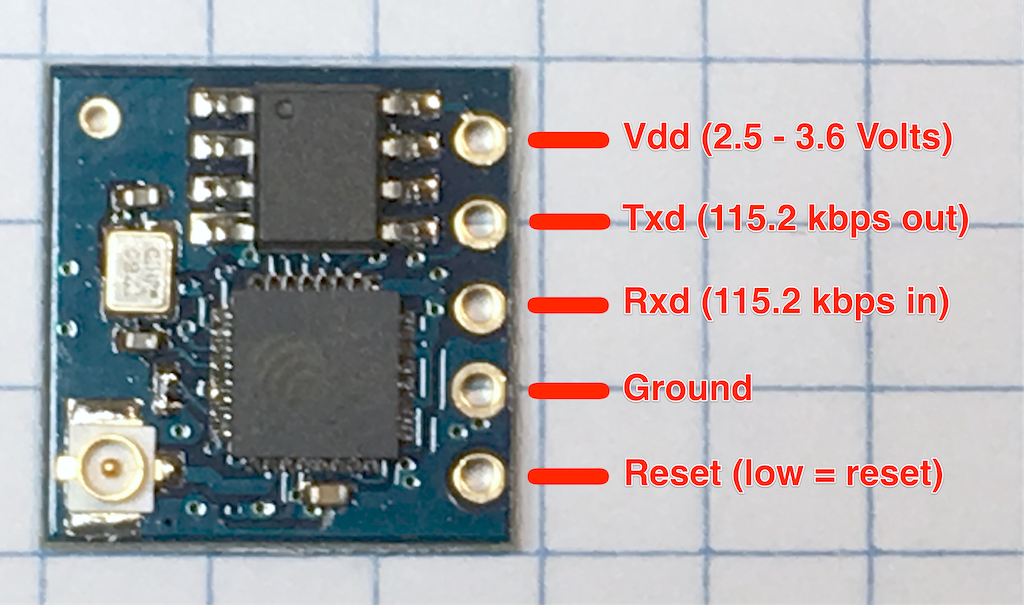
This is the pinout for the Seeed WiFi ESP8266 breakout board. Please be careful, it only accepts 3.3 Volt nominal input voltage and logic. Putting 5 Volts on any of the pins may permanently damage the chip.
The ESP8266 on this board is programmed to do serial communications at 115.2 kilobaud, and accepts AT commands.
Arduino and the QVGA 2.2″ TFT SPI screen
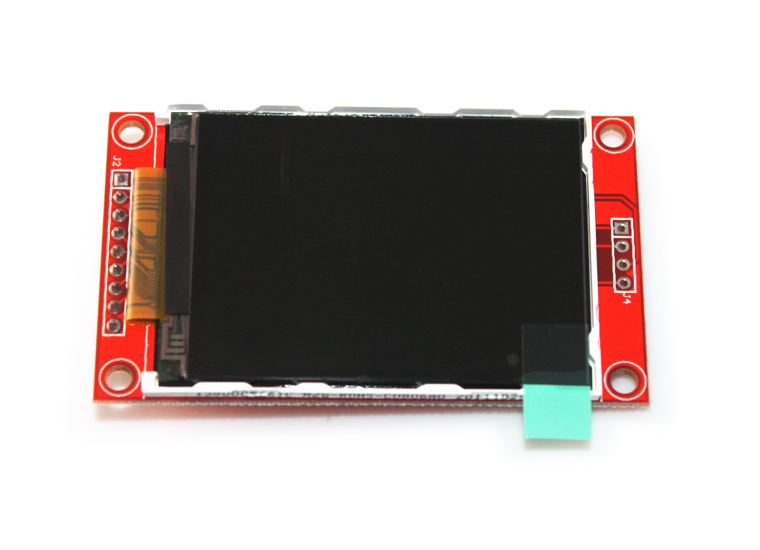 I went through all the struggles everybody else seems to be going through to get this screen connected to my Arduino Nano. I had the 5V to 3.3V voltage conversion problem, and the “only works with software interrupts” problem which makes the display run slow. The solutions are not complicated but not very wel documented. Until now.
Print posters on a regular printer with Excel.

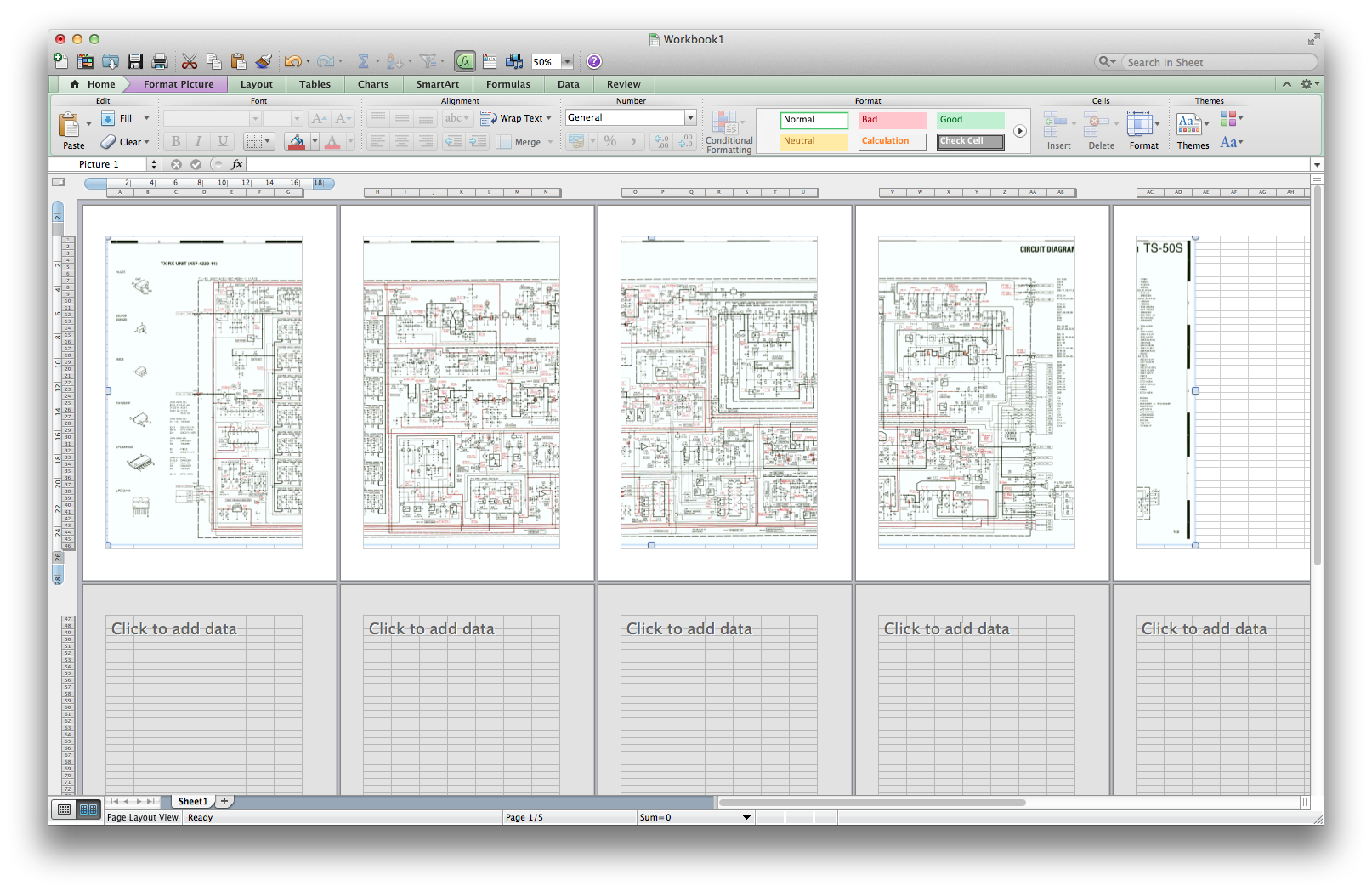
I recently needed to print out a big schematic diagram of the RX/TX board of a Kenwood TS50 Transceiver. This did not fit on a single piece of paper. Instead of downloading all kinds of crappy tools or uploading the image to some “free” site which is going to use it for whatever they think justifies their definition of “free”, I found out you can do this in Excel. Here’s how:
- Make sure the image you want to print out as a poster has a decent resolution
- Open Excel (maybe this will work in LibreOffice too, I haven’t tested, let me know)
- Drag the image into a new worksheet so that it is top-left of the sheet.
- Open the “Print preview” (the little icon in the bottom left of the window)
- Resize the image so that it covers more than one page, up to the number of pages you’d like the poster to be. Your screen should now look somewhat like this:
- Optional: Adjust the page margins.
- Print.
After this, you’ll be gluing the pages together, but I think you already figured that out beforehand.
Have fun!
Anonimatron: Quick Start
 After reading my last blogpost on Anonimatron, you must have asked yourself “Great, but how do I actually use Anonimatron to de-personalize my database”? I tried my best to make basic Anonimatron configuration as self-explanatory as possible, just start it without any command line arguments and it will tell you.
Less adventurous or in a big hurry? This blogpost will show how simple it is to install and configure Anonimatron on an example MySQL database.