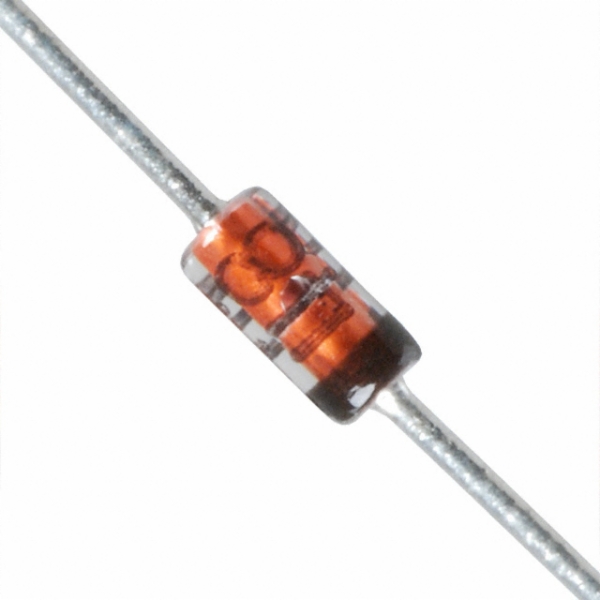
 For a recent experiment I was using BA389 PIN diodes to switch low power RF signals. I was asked why I didn’t use an ordinary 1N4148 for that. Since I didn’t know what an 1N4148 would do when used like that, and I also didn’t really know what a BA389 actually does, I decided to do some measurements.
Even geen donor meer
 “Niertransplantatiefietsen” worden ze onder artsen wel eens genoemd. Tot nu toe had je grote kans dat je de nieren, longen of andere organen van deze gezonde motorrijder had kunnen ontvangen. Zodra ik me mocht registreren heb ik gelijk aangegeven dat ik volledig donor wil zijn. Omdat ik niet geloof in leven na de dood, en wel geloof in het helpen van anderen.
Interdigital Bandpass for RTL2832U Receiver
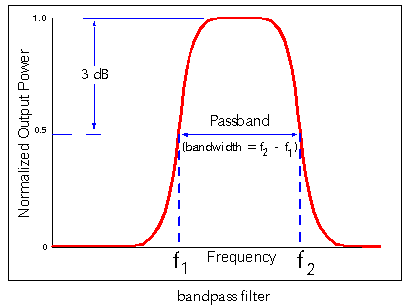 Building a receiver for a voice repeater system in this area I set up a thumbsat receiver connected to a Raspberry Pi. The receiver is part of the repeater system to widen it’s receiving range. However, the performance turned out not to be too optimal. I guessed that the GSM and Wifi signals around here could cause the RTL2832U to overload, so I decided to build an intedigital bandpassfilter using Ajarn Changpuak‘s excelent interdigital bandpass filter calculator.
JSON alerts for Munin
 Munin is a great and easy way to monitor your servers. The documentation for Munin is kind of all over the place, and sometimes not all that clear.
- There is the recent “Munin Guide” which is quite informative and well laid out.
- Sometimes additional info and background can be found on the old munin wiki.
Getting the standard mail alerts working on munin is simplest, but as soon as you want custom layouts or send alerts as a push message to a phone, it can take quite some work. Here’s what I figured out to get the Munin alert available to you as JSON inside your own Python script so you can do anything you want with it.
Fixing a Jenkins 1.5 Slave on Windows 2016

When you configure a Jenkins 1.5x slave on a Windows 2016 machine according to the instructions on wiki.jenkins-ci.org you will probably get a warning that the .Net 2.0 is not available. This is reported as issue 21484 and the fix is to upgrade, which sometimes can be a problem.
If you can’t upgrade to the latest version for whatever reason, you can easily fix the .Net problem by changing the jenkins-slave.exe.config file from:
<configuration>
  <runtime>
    <generatePublisherEvidence enabled="false"/>
  </runtime>
</configuration>
To:
<!-- see http://support.microsoft.com/kb/936707 -->
<configuration>
  <runtime>
    <generatePublisherEvidence enabled="false"/>
  </runtime>
  <startup>
  	 <supportedRuntime version="v2.0.50727" />
     <supportedRuntime version="v4.0" />
  </startup>
</configuration>
Hope this works for you. Cheers!
Mattermost Delete Channel “fixed”
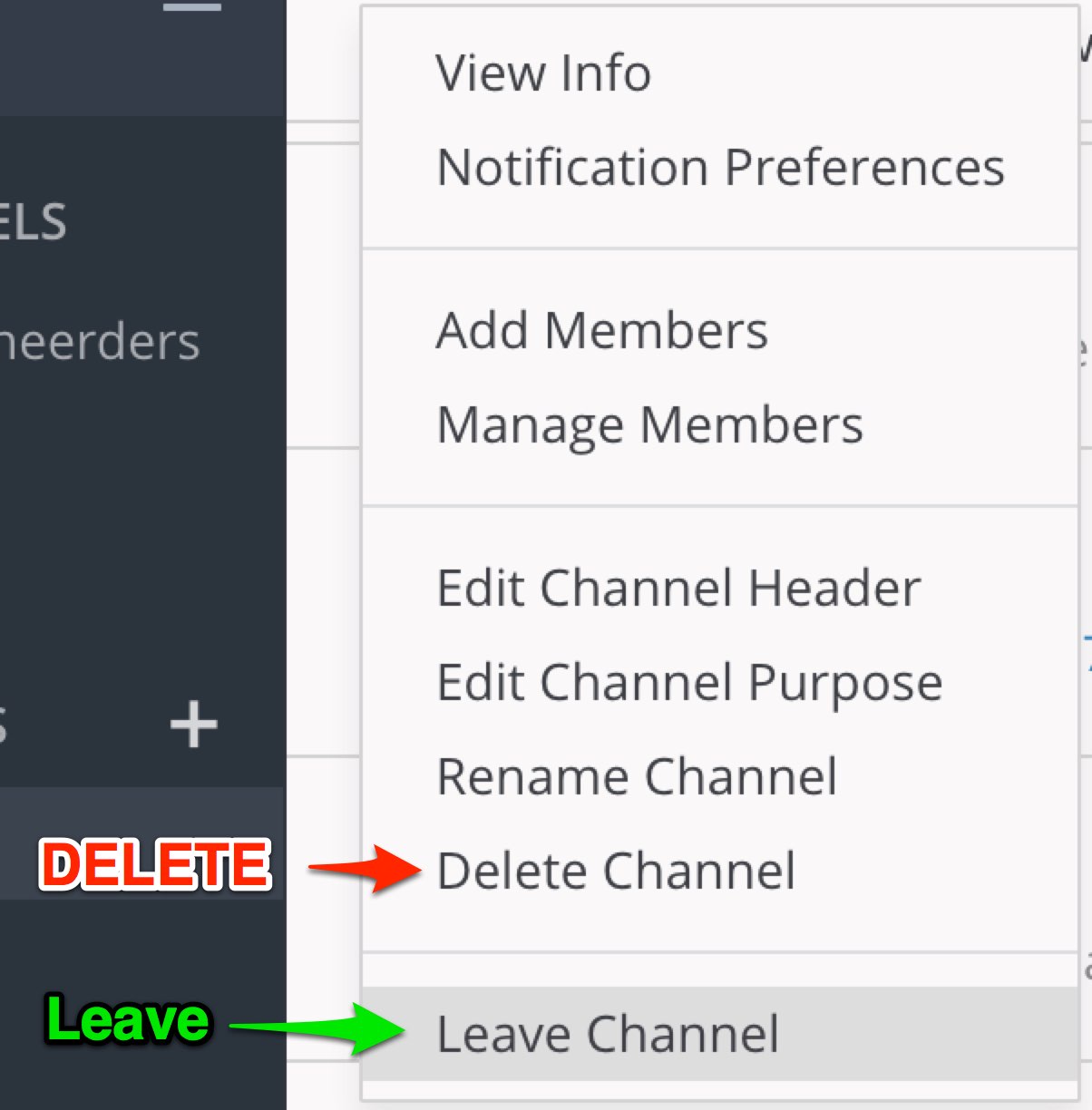 Users of Mattermost have probably noticed the less-than-optimal interface design where de Delete option is right above the Leave option in the Channel menu. On a busy server, you can imagine having quite a few incidents where people accidentally completely delete a channel.
In the Open Source version of Mattermost, everybody van do anything, because there is no sensible security model with roles. Mattermost Inc. seems to think that the Open Source community is not entitled to roles, which I (and others with me) strongly disagree with.
Forking Mattermost, learning Golang and enabeling security, improving a few other issues for the open source community along the way is a plan. But there is a simpler workaround for people running Mattermost inside Nginx.
Installing GPG keys for Debian Backports
 For Let’s Encrypt to automatically renew certificates on your Raspberry Pi, you probably want to install certbot. The installation instructions of certbot tell you to make use of the Debian Backports packages. Following the instructions to install backports packages into apt-get on raspbian (which is a Debian Jessie), you will probably run into the following error:
$ sudo apt-get update
...
W: GPG error: http://ftp.debian.org jessie-backports InRelease:
   The following signatures couldn't be verified because the public
   key is not available: NO_PUBKEY 8B48AD6246925553 NO_PUBKEY
   7638D0442B90D010
Make the ESP8266 talk 9600 baud
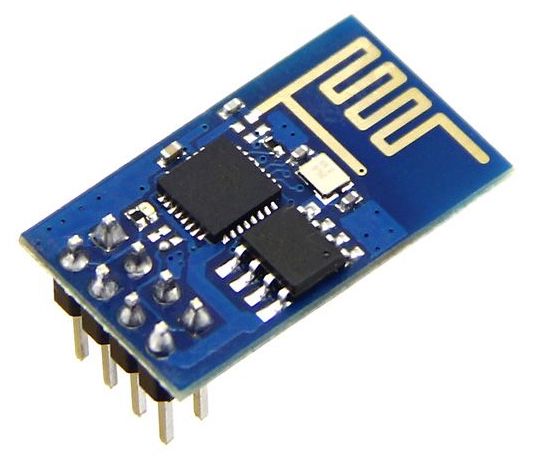 The default serial speed on the ESP8266 WiFi chip is 115200 baud. If you connect this chip to an Arduino and want to use SoftSerial to talk to it, it will not work. The SoftSerial library is limited to 9600 baud because of hardware limitations of the Arduino. If you want to talk to the ESP8266 with an Arduino at lower speeds, you need to tell the ESP8266 to slow down.
Seeed ESP8266 WiFi Breakout Board Pinout
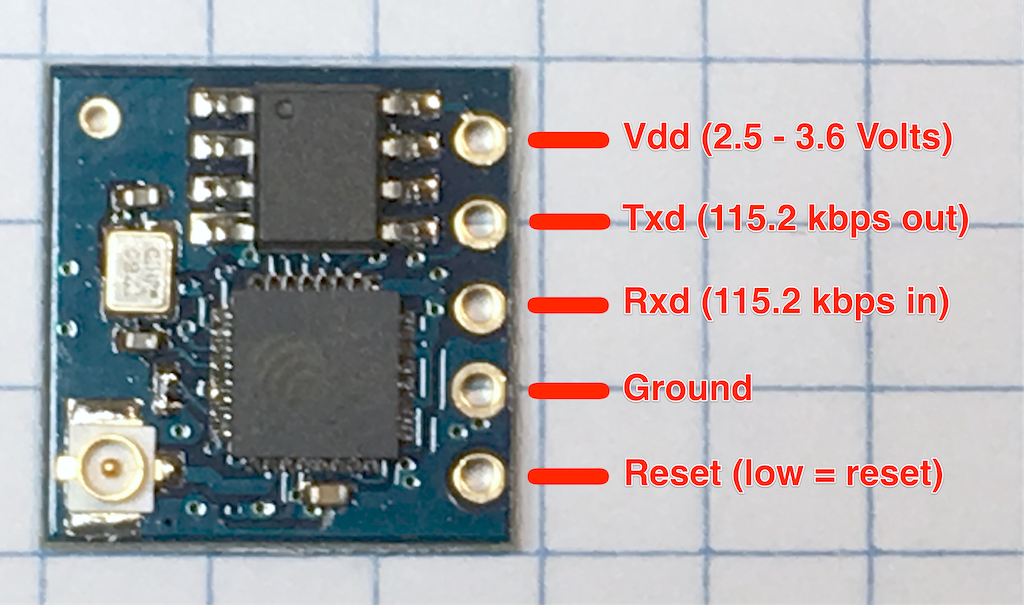
This is the pinout for the Seeed WiFi ESP8266 breakout board. Please be careful, it only accepts 3.3 Volt nominal input voltage and logic. Putting 5 Volts on any of the pins may permanently damage the chip.
The ESP8266 on this board is programmed to do serial communications at 115.2 kilobaud, and accepts AT commands.
macOS Sierra SSH “Permission Denied”
 If you used DSA keys to log in to your SSH server and have upgraded your client machine to macOS Sierra (or OSX Sierra if you like), you probably ran into this problem:
client$ ssh -p 8123 george@10.0.0.10 -i ~/.ssh/id_dsa
Permission denied (publickey).
The answer to this problem is replacing the DSA key with an RSA key, but how do you do on the server when your only means for connecting is the OSX client machine you just upgraded? Here’s how: