 This week a colleage of mine shared an interesting video describing AI (mainly Suno) as problematic to the musical industry in the sense that musicians will become less and less skilled in making truly original music. It coins the term “de-skilling”, which perfectly captures something I also see in the software development area, even though it is beautifully hidden by the “impressive results”.
Tag: programming
European alternatives to AWS/Azure/GoogleCloud
 This article lists a rough feature comparison between currently available European cloud providers and their American counterparts. European cloud is available and abundant. Stackit, OVHcloud, Scaleway, IONOS, Exoscale, Upcloud are all parties you should have on your radar when building critical infrastructure for European clients. The US is proving to be less and less reliable as an IT partner. You’ve got to move.
Read More “European alternatives to AWS/Azure/GoogleCloud” »
Add iptables to your node-exporter metrics
 This time quick and simple trick to make your node_exporter report on the number of blocked and allowed packets by iptables. It involves a tiny script, and a small configuration change to the node_exporter. Here we go:
Querying Classicpress database for page hits
 Now that I am running classicpress, I miss the statistics that I received at wordpress.org. I don’t want to install third party cookies or other adware stuff, so I was looking to see how to solve that completely locally. Here’s how I got it working, withouts ads, all local, for free.
Fixing a Jenkins 1.5 Slave on Windows 2016

When you configure a Jenkins 1.5x slave on a Windows 2016 machine according to the instructions on wiki.jenkins-ci.org you will probably get a warning that the .Net 2.0 is not available. This is reported as issue 21484 and the fix is to upgrade, which sometimes can be a problem.
If you can’t upgrade to the latest version for whatever reason, you can easily fix the .Net problem by changing the jenkins-slave.exe.config file from:
<configuration>
  <runtime>
    <generatePublisherEvidence enabled="false"/>
  </runtime>
</configuration>
To:
<!-- see http://support.microsoft.com/kb/936707 -->
<configuration>
  <runtime>
    <generatePublisherEvidence enabled="false"/>
  </runtime>
  <startup>
  	 <supportedRuntime version="v2.0.50727" />
     <supportedRuntime version="v4.0" />
  </startup>
</configuration>
Hope this works for you. Cheers!
Mattermost Delete Channel “fixed”
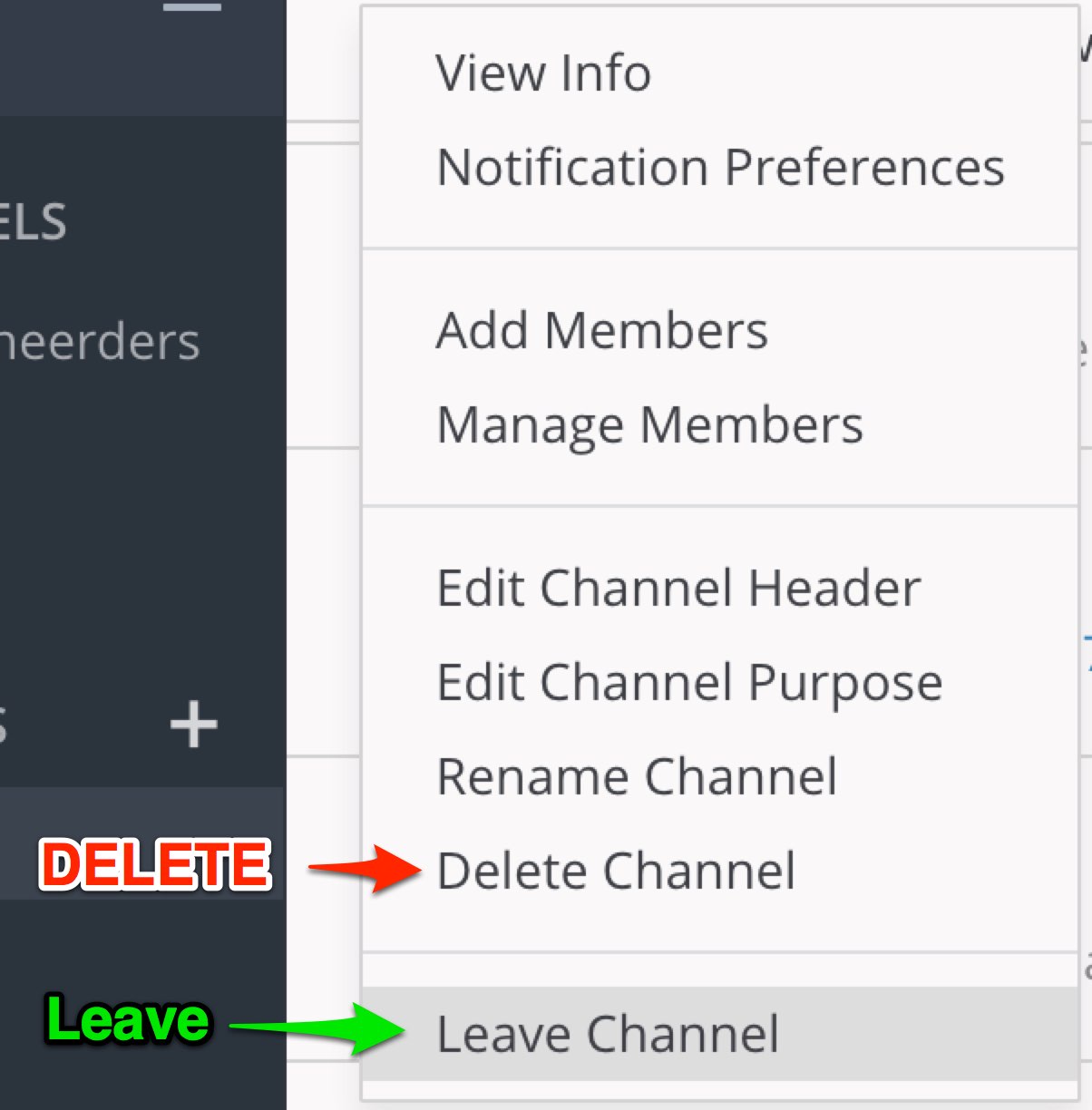 Users of Mattermost have probably noticed the less-than-optimal interface design where de Delete option is right above the Leave option in the Channel menu. On a busy server, you can imagine having quite a few incidents where people accidentally completely delete a channel.
In the Open Source version of Mattermost, everybody van do anything, because there is no sensible security model with roles. Mattermost Inc. seems to think that the Open Source community is not entitled to roles, which I (and others with me) strongly disagree with.
Forking Mattermost, learning Golang and enabeling security, improving a few other issues for the open source community along the way is a plan. But there is a simpler workaround for people running Mattermost inside Nginx.
Make the ESP8266 talk 9600 baud
 The default serial speed on the ESP8266 WiFi chip is 115200 baud. If you connect this chip to an Arduino and want to use SoftSerial to talk to it, it will not work. The SoftSerial library is limited to 9600 baud because of hardware limitations of the Arduino. If you want to talk to the ESP8266 with an Arduino at lower speeds, you need to tell the ESP8266 to slow down.
Solving the JAXB “unexpected element” problem
 If you are using JAXB in a maven/java project to unmarshal an XML document and you get:
javax.xml.bind.UnmarshalException: unexpected element (uri:”urn:iso:std:somestuff:xsd:somestuff”, local:”Document”). Expected elements are (none)
Or if you are using JAXB to marshal an XML document and you get:
com.sun.istack.internal.SAXException2: unable to marshal type “generated.somestuff.Document” as an element because it is missing an @XmlRootElement annotation
You have probably fallen victim of the fact that JAXB does not do “Simple Binding” by default. If your project is a maven project and you generated classes based on an xsd file, this is how you fix it (without changing the xsd file):
Import/export an Oracle Schema using JDBC
 When doing integration testing or fixing a bug in a piece of Java code that uses Oracle as a database, being able to do quick exports and imports of your schema can be a big help. Sometimes just calling Oracle’s imp/exp commandline tools from your code can be of help, but I was looking for something a bit more portable and less demanding on my local development machine. I found that Oracle’s datapump functionality can be called from stored procedures, which in turn can be called from a normal JDBC statement.
Arduino and the QVGA 2.2″ TFT SPI screen
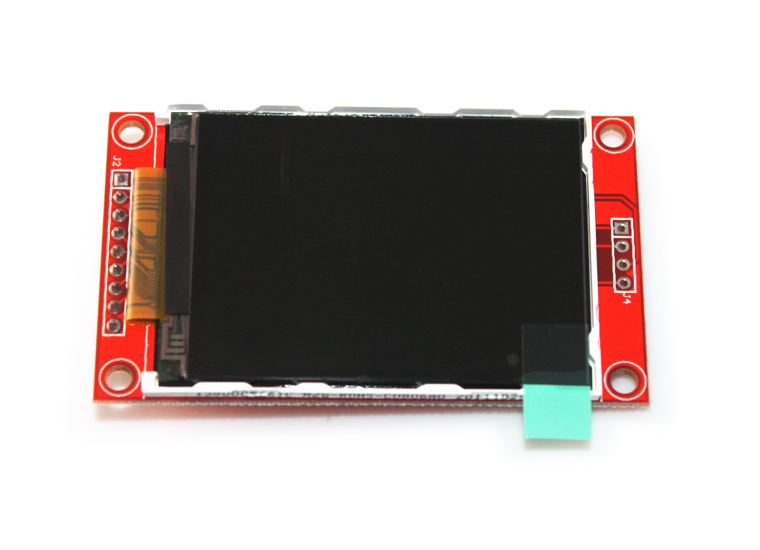 I went through all the struggles everybody else seems to be going through to get this screen connected to my Arduino Nano. I had the 5V to 3.3V voltage conversion problem, and the “only works with software interrupts” problem which makes the display run slow. The solutions are not complicated but not very wel documented. Until now.