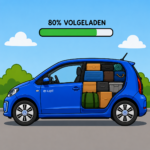
 Charging an electric car battery to 100% all the time will wear out your battery faster. Many cars have settings to manage this, and some cars even manage it themselves (like your MacBook, they learn when to charge and how much). Not so much for the Volkswagen e-Up!, but here is a trick to have it always stop charging at 80%.
Note: The videos always start from scratch so you know where the screen is, but you don’t have to go back to the main screen every time if you don’t want to. The settings are saved in the car, even if you remove the Garmin screen and plug your iPhone mount back in.
1. Reinstall the Garmin. If you have made the Magsafe conversion in my former blogpost and were smart enough to keep the orginal mount, this is the time to install it. We need the screen.
2. Turn the car on, but not “start” it. Put the key in the iginition, turn it “one click” until the dashboard lights up and the Garmin starts up.
3. Select e-Manager. The car battery status screen shows a car with a blue battery in it. Press the “Energy” button below it to select the e-Manager.
4. Set the bottom charging limit. The car as a “delayed charge” feature, which will not charge the car until it is time to get ready to go. The exception to this is the bottom charging limit. If the car is below this limit, it will *always* start charging. This is part of our trick, because we want to charge it now/always and have it stop at 80% always. Setting this lower limit to 80% will make sure your car always starts charging immediately when it is below 80%.
5. Set the standard charge locaton to 80%. The strangely named “standard charge location” is actually a “preset”. This preset is used when using deiayed charging. Set the default preset to charge to 80%. This will be the upper limit of the charge.
6. Set departure times. Enable the first departure time with a green checkmark. Set any time, it is ignored because the lower limit will trigger charging always. Then make sure you select all days of the week.
7. Use the delayed charge button on the center console. You now have the option to charge to 100% (delayed charging off) or always charge to 80% (delayed charging on). The setting will be remembered, so just leave this on to always charge to 80%
Put your magsafe adapter back and enjoy your new care-free charging.
Of course you can play around with the lower charge limit and departure times to have it 80% in the morning and leave it 50% at night, that is up to you, but I think it is more fiddly and inconsistent. When you hook a device to a charger, you expect it to be charged. This will do exactly that, and keep your battery healthy.
Thanks, very helpful! All the instructions I can find were for 2016+ year models and this is just right one for 2014’s ones.