Months ago, I got this broken Aeroccino milk frother for free. This week I fiddled with it for a few hours, and got it to work:
[youtube=http://www.youtube.com/watch?v=kNEqWH3ILDc]
Months ago, I got this broken Aeroccino milk frother for free. This week I fiddled with it for a few hours, and got it to work:
[youtube=http://www.youtube.com/watch?v=kNEqWH3ILDc]
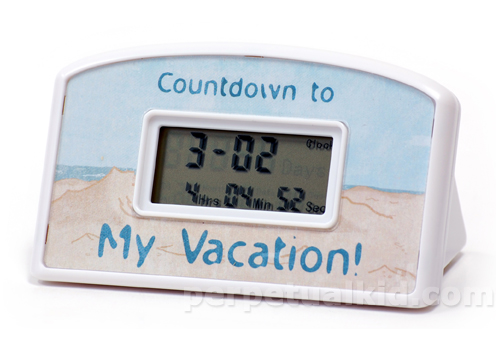 You know how it is on vacation. You take your camera, shoot pictures, and when you get home you see that you forgot to set the date/time on your camera. Even worse: your wife also took a camera with her, and she actually read the manual and set the time correctly. So now you have two sets of photos with mismatching date/times. Now what?
It turns out that there is actually a pretty simple trick to solve this, and you don’t even haven to install exiftool or do funny command line voodo. If you have iPhoto and a mouse, here’s what you do:
 The top feature of the eclipse IDE is the very impressive refactoring possibilities. It makes code feel like play-doh, allowing you to knead it in any shape way or form you think fits the current situation. A close second to that is the impressive templates and code assist. Yes, Java is verbose, but I think 80% of the characters which make up a Java program was never actually typed. All the readability without the labour, brought to you by eclipse’s powerful templates.
What many people don’t realize is that you can easily add to this magic by creating your own templates. One of the first templates I always add to the environment is the one which adds a private static final log4j logger. I thought it would be great example to share with you.
 After lies about Dropbox Employees not being able to see your files, then proving that they do not do regression testing on their security, the latest change in terms of service really was the last drop. So I dropped dropbox.
I had become dependent on Dropbox to transfer files between my private and work machines, having my notes, configuration files and (encrypted thank god) password databases handy at all times. Searching around, there is really no other service like it. Although lots of products claim to have the same functionality, the “share this folder between all my machines” feature which dropbox proviced is really unsurpassed.
I had to find an alternative solution which would meet the following criterea:
After some browsing around, there are two solutions that come close, one is Wuala, and the other is Spideroak.
For one additonal GB of storage for life, use my referal link to register at SpiderOak. Read the whole article to add another 5GB to that.
 Jenkins, the brilliant Continuous Integration build server, has a bit of a problem with the Maven surefire jUnit test plugin. Last sunday, I discovered that our Jenkins build server suddenly started ignoring test failures. While the logfile clearly states that the Unittests contain failures, Jenkins marks the builds as “stable”.
After some digging around, I found that even though Jenkins explicitly tells you in the logfile that it will fail the build, it will not do so if the Surefire XML reports are not generated. In our case, somebody in the team decided that the generation of the XML Surefire reports was taking too long and had disabled them in the Maven pom.xml.
In order to solve this, I re-enabled the XML reports and voila, Jenkins happily started reporting errors again. Here is the correct Surefire plugin configuration for you to use in your maven pom.xml file:
<plugin>
  <groupId>org.apache.maven.plugins</groupId>
    <artifactId>maven-surefire-plugin</artifactId>
    <version>2.8</version>
    <configuration>

      <!-- Please note that Jenkins needs Surefire
           XML reports in order for detection to work.
           Keep this property set to false. -->
      <disableXmlReport>false</disableXmlReport>
    </configuration>
</plugin>
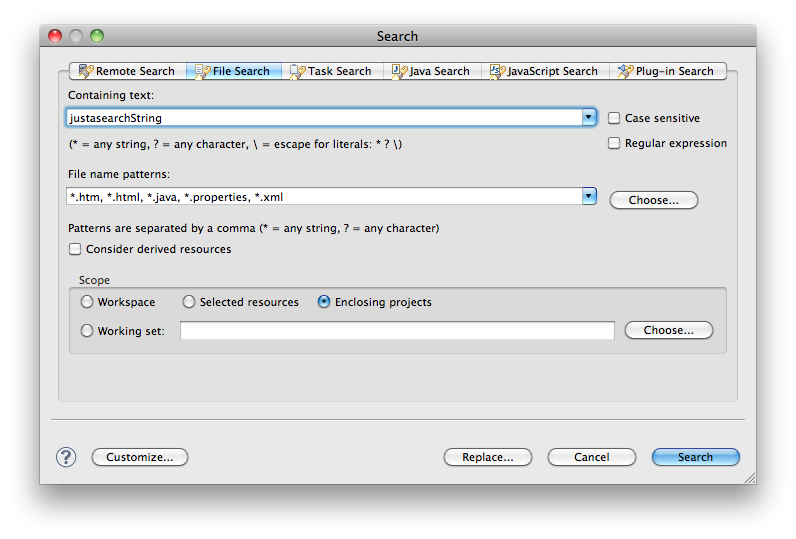 As a long time user of Eclipse, I have never understood the any of the tabs of the Search panel in Eclipse. JavaScript search, Java Search, Remote Search, they all make no sense to a modern man who is used to a single search box which searches everything. So I always use the “File Search” Tab, which does exactly what I want 99% of the time.
File Search always requires mouseclicks. To open the Search window and select the correct tab. It was not until recently that I realized that I could actually reassign the ^H (Control – H) key combination to pop up the File Search tab. If you are an avid Eclipse user you’ve probably already done this, or know how to do this. If you are new to eclipse, or lazy like me, read on to see how you can re-map this key binding.
 A few months ago we had a problem where Eclipse could not automatically run all jUnit unit tests in a package if that package references a class called “enum”, which is a reserved word in Java 1.6. I’ll spare you the details, but we were forced to create a TestSuite. Normally we avoid this construction because it’s easy to create a new unit test and forget to add it to the correct TestSuit. So as a workaround we wrote some code which could build and return a TestSuite dynamically. Right-click in eclipse, select “Run as Unittest”, sit back and enjoy.
Lately this piece of code came in handy while testing another application, which required the removal of data from a database. Yes I know, Unittests should maybe not depend on databases because it leans towards integration testing, but here we are, and I need to solve it. I used the old TestSuite code and changed it so that the TestCase I needed to run first was singled out, while still maintaining the functionality of auto-detecting testcases in the source folder.

In our company, all Java projects are setup with Maven configuration so that after a “mvn eclipse:eclipse” any developer is generally good to go. One of these projects was a web project but would not transform into a WTP project. By running “mvn eclispe:eclipse” it became a Java project, but could not be added to a Server in Eclipse. It was not a WTP project.
I learned that the author of the project tried but never got the WTP plugin to work properly. Using the Google, I found more people who are having the same problem converting their existing Maven Java Web projects in Eclipse into a WTP project. There are even a few desperate articles describing how to edit your .project and .classpath files. Oh dear. This calls for an article on www.rolfje.com.
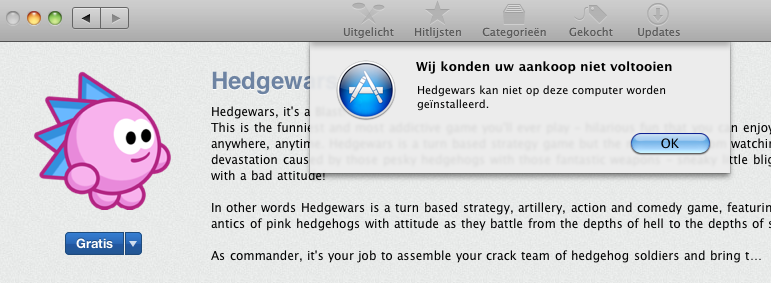
 I was happily playing around with the appstore, and came across this funny free game called “Hedgewars”. Originally a free Linux game, it apparently got ported to the Mac and put in the App Store, just as a slew of Flash-based games (yes, Steve has some ‘splainin’ to do).
I tried to install Hedgewars on my trusty Mac Mini and got this message saying “This Application can not be installed on this machine”:
 If Santa treated you particularly well this season, or you have put some of your savings to good use, chances are that you have a brand-new Drobo looking at you right now. Meanwhile, your Mac is happily making Time Machine backups to that trusty old local USB disk. So you want to use that new Drobo for Time Machine backups, but don’t want to loose history? Here’s how (baby steps, no tools required, screenshots included):