
I recently needed to print out a big schematic diagram of the RX/TX board of a Kenwood TS50 Transceiver. This did not fit on a single piece of paper. Instead of downloading all kinds of crappy tools or uploading the image to some “free” site which is going to use it for whatever they think justifies their definition of “free”, I found out you can do this in Excel. Here’s how:
- Make sure the image you want to print out as a poster has a decent resolution
- Open Excel (maybe this will work in LibreOffice too, I haven’t tested, let me know)
- Drag the image into a new worksheet so that it is top-left of the sheet.
- Open the “Print preview” (the little icon in the bottom left of the window)
- Resize the image so that it covers more than one page, up to the number of pages you’d like the poster to be. Your screen should now look somewhat like this:
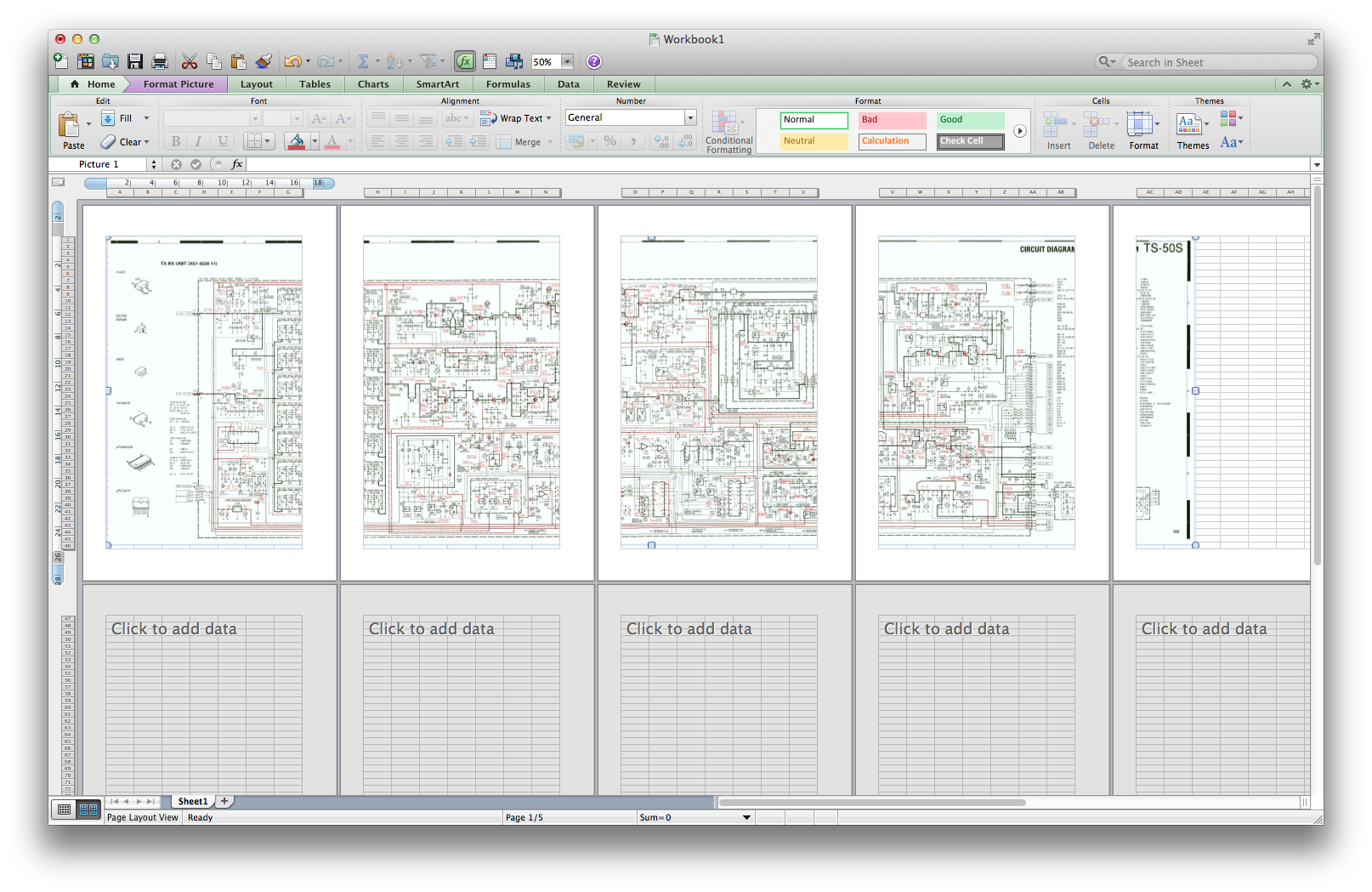
- Optional: Adjust the page margins.
- Print.
After this, you’ll be gluing the pages together, but I think you already figured that out beforehand.
Have fun!






 Want to save a single email from gmail to disk, in a readable format for Outlook, Thunderbird or Apple Mail? Here’s how:
 A few months ago we had a problem where Eclipse could not automatically run all jUnit unit tests in a package if that package references a class called “enum”, which is a reserved word in Java 1.6. I’ll spare you the details, but we were forced to create a TestSuite. Normally we avoid this construction because it’s easy to create a new unit test and forget to add it to the correct TestSuit. So as a workaround we wrote some code which could build and return a TestSuite dynamically. Right-click in eclipse, select “Run as Unittest”, sit back and enjoy.


